

What is Zangi - Private Messenger
Zangi Private Messenger delivers private chat and calling with a focus on minimal data use and strong encryption. Download now to secure conversations and enjoy high-quality calls that work on slow connections.
Core Features
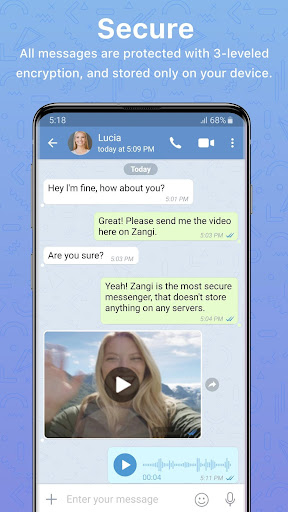
End-to-end encryption Messages and calls are protected with end-to-end encryption to keep conversations private. Keys are stored on devices to reduce server exposure. 🔒
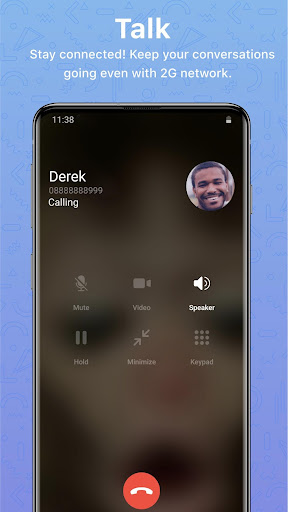
High-quality voice and video calls Adaptive codecs optimize call quality even on slow networks for clear conversations. Calls support both peer-to-peer and relay modes for reliability. 📞
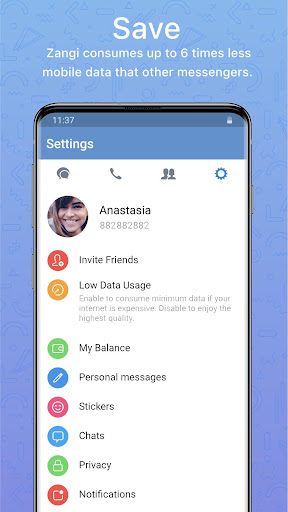
Low data consumption Engineered to use minimal bandwidth so chats and calls remain usable on metered or weak connections. This helps extend battery life and lowers data costs. ⚡
No cloud storage model Media and messages can be kept off centralized servers to reduce exposure and third-party access. Users can enable local-only storage for added privacy control. 📦
Cross-platform messaging Offers mobile apps with basic desktop or web support for continuing conversations across devices. Sync is device-centric to preserve privacy. 👥
Pros
Strong privacy stance Offers end-to-end encryption and limited server retention to minimize data traces. Privacy-first design appeals to security-conscious users. 🔐
Works on low bandwidth Calls and chats remain stable on poor networks, making it ideal for travel or rural areas. Performance optimizations reduce lag and dropouts. 🚀
Simple, lightweight app Small install size and streamlined UI get users connected fast without clutter. Runs smoothly on older devices and conserves battery. 🪶
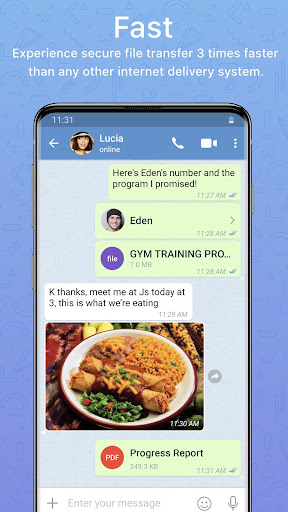
Rich media sharing Supports photos, voice notes, and file transfers with fast compression and delivery. Media preview tools make managing attachments easier. 📎
Message self-destruct options Timed messages and auto-delete settings provide ephemeral conversation control. This helps reduce long-term data exposure and improves privacy hygiene. ⏳
Cons
Smaller user base Less widespread adoption means contacts may be missing compared to mainstream messengers. Growth-focused features might lag behind big platforms. 📉
Limited third-party integrations Few integrations with productivity tools or bots are available compared to competitors. This can hinder workflows that rely on platform extensions. 🔗
Advanced features behind paywall Certain business-grade options and premium calling features may require a subscription. Power users may need to pay for full capabilities. 💸
Desktop and web clients less mature Desktop or web experiences can lack parity with mobile apps in stability and features. Users needing seamless multi-device sync may find limitations. 🖥️
Occasional call instability on specific carriers Some carriers or network configurations can cause dropped or low-quality calls. Users should test voice quality before committing for mission-critical use. 📶
Prices
Free to download with core messaging and calling features available at no cost. Premium plans start around $3.99/month for enhanced business features and higher-quality calling, with enterprise pricing available on request.