What is Starlink
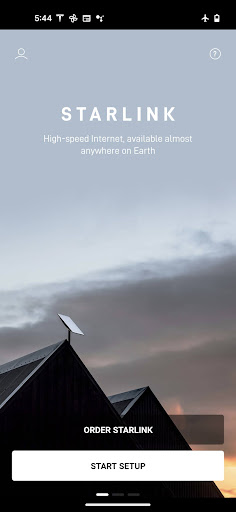
Starlink delivers high-speed satellite internet that reaches locations where traditional broadband can't. Get connected quickly with guided setup and hands-on tools that push connectivity to remote and underserved areas.
Core Features
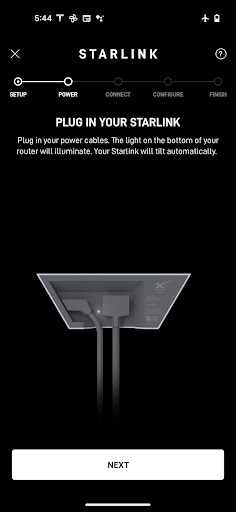
One-touch setup Streamlined setup walks through hardware activation and Wi-Fi configuration with clear prompts. Setup typically completes within minutes for most residential installs. 📶
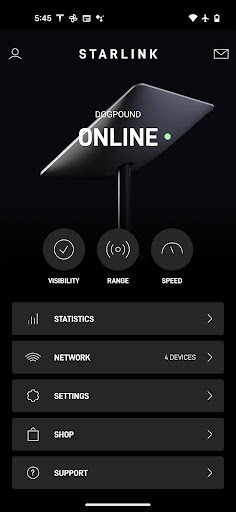
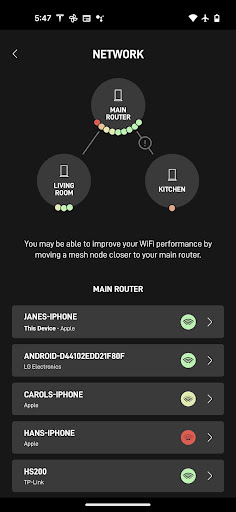
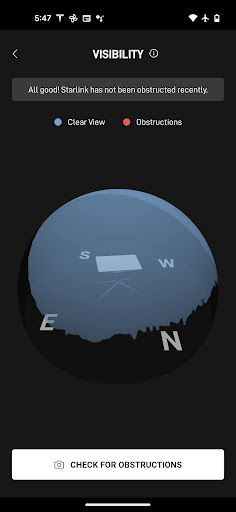
Real-time diagnostics Live status updates show dish alignment, connection health, and signal strength for quick troubleshooting. Diagnostics help identify issues before they impact performance. 🔍
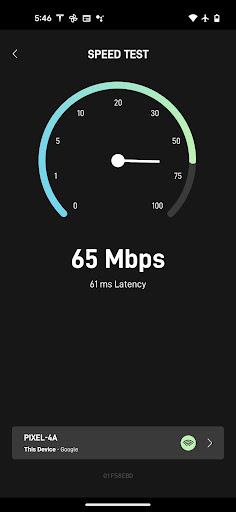
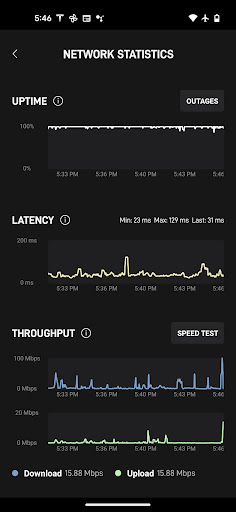
Speed test and usage stats Built-in speed tests measure download and upload performance on demand with historical usage charts. Bandwidth monitoring helps manage peak times and device consumption. ⚡
Network controls Router settings, guest Wi-Fi, and basic port forwarding are manageable directly in the app for simplified network control. Admin-level options enable device prioritization and password resets. 🔒
Portability and coverage map Coverage maps and location-based guidance support portable and RV options for changing service locations. Maps show service availability and potential constraints at a glance. 🗺️
Pros
Broad rural coverage Satellite architecture extends high-speed internet to remote and rural regions underserved by cable or fiber. This is a strong option for off-grid homes and seasonal properties. ✅
Low latency for satellite service Optimized network paths and LEO satellites deliver latency suitable for many online games, video calls, and streaming. Performance beats traditional geostationary satellite alternatives. 🎮
Simple account and billing In-app billing and plan management make subscription changes and payments straightforward. Notifications keep billing status visible and timely. 💳
Integrated hardware management App handles firmware updates and dish diagnostics to maintain peak performance without complicated manual steps. Hardware and software sync reduces downtime. 🛰️
Active update cadence Regular firmware and app updates add features and reliability improvements over time. Continuous updates keep the experience evolving and more secure. 🔄
Cons
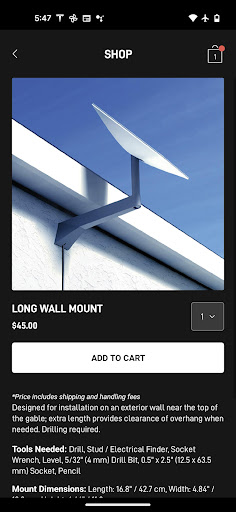
Upfront hardware cost Initial terminal and router costs are significant compared to a modem rental - budget for equipment purchase. Equipment cost can be a barrier for some households. 💸
Variable performance in dense foliage Tree cover, heavy foliage, and obstructions can reduce signal quality and cause drops in service. Optimal placement and clear sky view are often required. 🌲
Power requirements The dish and router need continuous power, so outages or limited power scenarios can disrupt connectivity. Backup power solutions are recommended for reliability. 🔌
Occasional network congestion Peak-time congestion can reduce throughput in densely served regions or during high-usage events. Performance may fluctuate compared with wired fiber in congested conditions. 🕒
Data and location telemetry The app transmits diagnostic and location data to maintain alignment and service quality, which raises privacy considerations. Review account privacy settings and permissions to manage data sharing. ⚠️
Prices
The Starlink app is free to download and use for account management and diagnostics. Typical costs include a one-time hardware fee around $599 and monthly service starting near $110 for residential plans, about $135 for RV/portable plans, and higher tiers around $500 per month for Business service - taxes and fees may apply.