






What is Background remover - remove.bg
Background remover - remove.bg delivers fast, AI-driven background removal with an action-ready interface for creators and sellers. High-energy performance and simple results make it easy to produce clean assets for social, commerce, and marketing—download and streamline workflows today.
Core Features
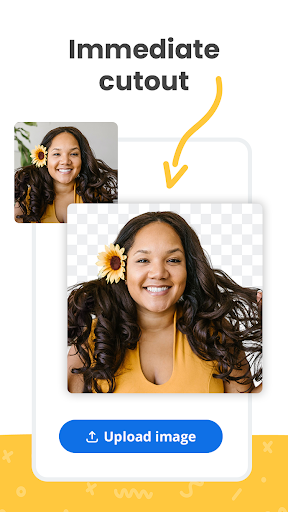
Instant AI removal Lightning-fast processing removes backgrounds automatically with high accuracy on common subjects. Perfect for rapid edits and quick turnarounds. ⚡
Batch processing Remove backgrounds from multiple images in one go to save time on bulk projects. Queued processing and simple job management streamline workflows. 🔁
High-resolution output Export transparent PNGs and high-res results suitable for print and ecommerce. Quality retention keeps edges and details crisp for product shots. 🖼️
Refine and touch-up tools Built-in edge refinement and manual brush controls handle tricky hair and transparency. Quick preview and undo options speed up fine-tuning. ✂️
Easy export and integrations Save to camera roll, cloud services, or export directly to design tools and marketplaces. API access and plugin options support automated pipelines. 🔌
Pros
Fast and reliable Backgrounds are removed in seconds with solid subject detection on common photos. Ideal for quick content production. 🚀
User-friendly interface Clean, simple layout makes tools accessible to non-experts. Quick learning curve helps speed up everyday tasks. ✅
Supports multiple formats Outputs include PNG, JPG, and transparent backgrounds for design workflows. Compatibility with ecommerce and social platforms simplifies publishing. 🧰
Batch processing convenience Large uploads and batch exports cut manual work for galleries and product catalogs. Save time on repetitive tasks and scale editing. 💾
Cloud access and automation Process images on cloud servers and sync results across devices. API and plugin options enable automation for teams. 🌐
Cons
Credit-based pricing Most advanced features use credits which can be confusing for casual users. Costs can add up for high-resolution or frequent processing. 💸
Imperfect results on complex images Fine hair, transparent fabrics, and overlapping objects may need manual correction. Post-processing in a design app is sometimes required. 🧩
Cloud-dependent processing Background removal happens on remote servers so a stable internet connection is required. Large uploads may consume mobile data on-the-go. 📶
Uploads processed on servers Sensitive images are transmitted to cloud servers, so review the privacy and data retention policy before use. Consider local alternatives for strictly confidential content. 🔒
Limited free downloads Free output is usually low-resolution or limited in quantity which may not suit production needs. Upgrading to paid credits or a subscription may be necessary for professional use. ⛔
Prices
Free tier offers limited low-resolution downloads and sample results to test the service. Pay-as-you-go credit packs start around $0.12 per image with discounted monthly subscriptions available for frequent users starting near $9/month. Check the app for current promotions and enterprise API pricing.