What is Slack
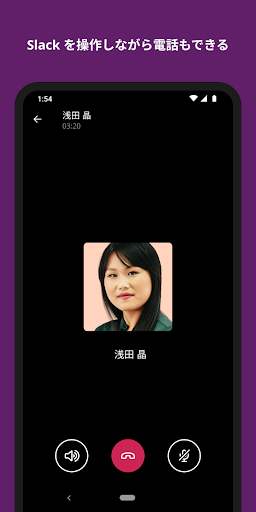
Slack streamlines team communication with channels, direct messages, voice and video calls, and deep integrations that keep work moving fast. Designed for US teams from startups to enterprises; download Slack now to centralize workflows and accelerate collaboration.
Core Features
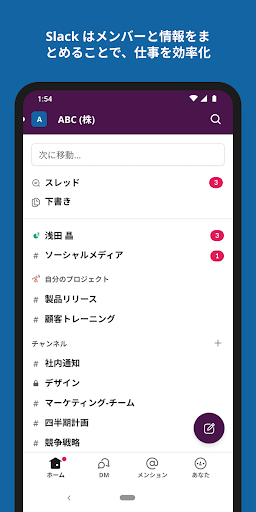
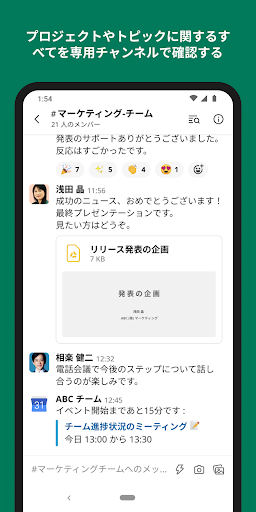
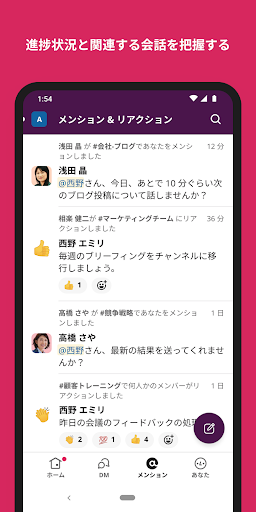
Real-time Messaging Slack offers instant messaging with channels, direct messages, and threads for organized team chat. Supports rich text, file uploads, and reactions to keep conversations dynamic. 💬
Channels and Threads Create public or private channels to segment projects, departments, or topics and maintain focused discussions. Threads keep replies nested to reduce clutter and preserve context. 🧵
Search and File Sharing Powerful search indexes messages and files so past conversations and docs are retrievable quickly. File previews and integrations make sharing PDFs, images, and docs seamless. 🔎
Integrations and Apps Connect hundreds of apps like Google Drive, Zoom, and Jira to centralize workflows and automate tasks. Custom bots and workflows extend functionality without leaving Slack. 🔗
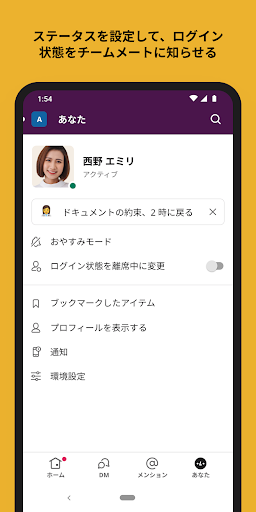
Notifications and Do Not Disturb Granular notification controls, keywords, and scheduled Do Not Disturb help balance responsiveness with focus time. Mobile and desktop sync prevent duplicate alerts across devices. 🔔
Pros
Boosts productivity Real-time context and fewer emails streamline decision-making and speed up project delivery. Quick actions and slash commands cut repetitive steps. 🚀
Easy onboarding Intuitive interface and channel-based structure let new hires find people and resources fast. Templates and shared channels reduce setup friction. ⚡
Enterprise-grade security Supports SSO, two-factor authentication, enterprise key management, and compliance certifications for regulated teams. Admin controls allow centralized policy enforcement and data retention settings. 🔒
Scales with teams Works for small startups and large enterprises with admin tools, guest accounts, and organization-wide settings. Performance and integrations stay consistent as user counts grow. 💼
Cross-platform availability Native apps for Windows, macOS, iOS, Android, and web ensure conversations follow users across devices. Offline message sync reduces friction during travel or spotty connectivity. 📱
Cons
Noise and distraction Active channels can generate a high volume of notifications that fragment attention and reduce focus. Requires disciplined channel hygiene and notification tuning to avoid overload. 🔕
Cost for larger teams Free tier limits history and integrations, and paid plans add up per user for larger organizations. Advanced features like compliance exports and SSO may require higher tiers. 💸
Learning curve for power features Custom workflows, app integrations, and admin settings can be complex to configure effectively. Technical setup may need dedicated admin time or IT support. 🧩
Search limits on free plan Free accounts restrict searchable message history which can impede knowledge retrieval over time. Upgrading to paid plans is necessary to unlock full archives. 🔍
Privacy configuration complexity Data retention, export permissions, and guest access require careful configuration to meet privacy policies and regulations. Misconfiguration can expose sensitive information without proper admin controls. 🛡️
Prices
Slack offers a robust free tier with limited message history and integrations. Paid plans start around $7 per user per month billed annually for core features, with business and enterprise tiers offering advanced security, compliance, and custom pricing for large organizations.