
What is Microsoft Authenticator
Secure accounts with fast, reliable multi-factor authentication using Microsoft Authenticator. Download now to enable push approvals, generate one-time codes, and add passwordless sign-in for both personal and work accounts.
Core Features
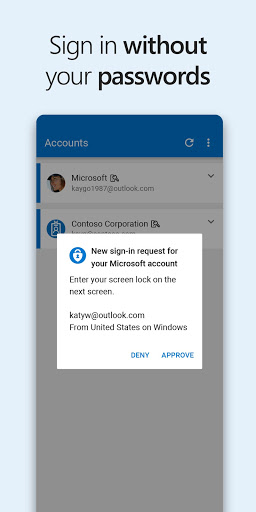
Push notifications for MFA Receive one-tap approval requests for sign-ins tied to Microsoft and compatible third-party accounts to speed up authentication. Push responses include device and location context to help verify legitimate access. 🛡️
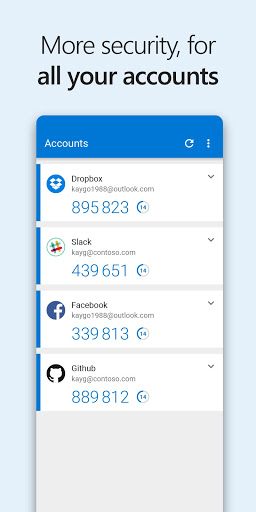
Time-based one-time passcodes Generate offline TOTP codes for services that support authenticator apps, ensuring access even without cellular or Wi-Fi connectivity. Codes refresh automatically and display alongside account names for quick entry. 🔢
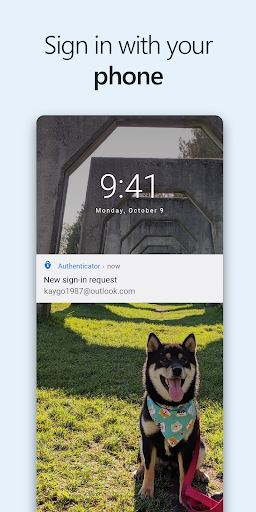
Passwordless phone sign-in Use phone-based passwordless authentication to sign into Microsoft accounts without typing a password, reducing credential theft risk. Biometric or PIN confirmation completes the sign-in for strong, user-friendly security. 📱
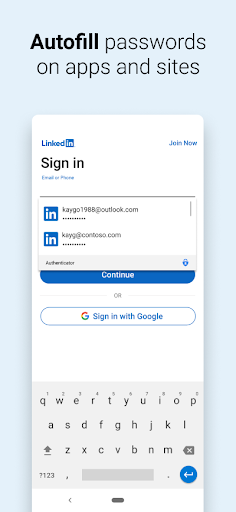
Built-in password manager and autofill Save and autofill passwords across apps and websites with secure vault storage tied to a Microsoft account for seamless sign-in. Password capture, generation, and syncing simplify credential management on mobile devices. 🔐
Cloud backup and account recovery Back up account credentials and settings to secure cloud storage for easy device replacement and recovery. Backup options support both personal Microsoft accounts and work or school directory accounts with admin policies. ☁️
Pros
Strong enterprise integration Deep support for Azure AD, Microsoft 365, and conditional access policies makes it a go-to for corporate environments. Admin controls help enforce security standards across employee devices. ✅
Reliable offline access Local code generation works without network connectivity, keeping access available during travel or outages. Offline functionality reduces dependency on SMS or carrier networks. ⚡
Biometric and app-lock protection Face ID, Touch ID, or PIN-based app locking adds an extra layer of protection for stored credentials and approvals. Conditional biometric checks increase convenience without sacrificing security. 🔒
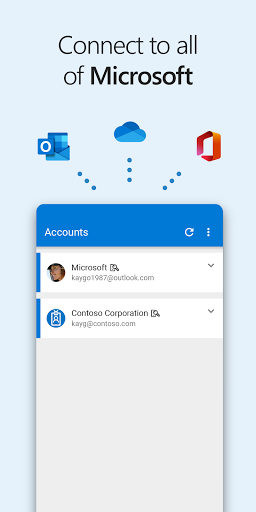
Cross-account support Manage personal, work, and third-party accounts from a single interface for consolidated authentication management. Clear labeling and icons simplify multi-account workflows. 🔗
Free and widely available Core authentication features are free to download and use for personal users and most business scenarios, lowering the barrier to stronger account security. Broad platform support makes adoption straightforward. 🔁
Cons
Phone dependency risk Relying on a single mobile device as the primary authenticator creates a single point of failure if the phone is lost, damaged, or stolen. Backup methods and account recovery steps must be configured proactively. 📴
Backup privacy considerations Cloud backup ties credential storage to a Microsoft account, which may raise privacy concerns for users wary of cloud-based key storage. Review backup settings and account permissions before enabling automatic sync. ☁️
Push-approval fatigue Frequent approval prompts can lead to habitually accepting requests, which increases exposure to social-engineering attacks without careful verification. Users must verify request context before approving sign-ins. 🎯
Enterprise policy restrictions Organization-enforced policies can limit certain features or require additional enrollment steps, complicating setup for BYOD devices. Work account management may override personal preferences for security reasons. 🧩
Limited hardware token integration Native support for external hardware security keys and broader FIDO2 workflows is improving but can be inconsistent across services. Power users relying on dedicated hardware tokens may need additional configuration. 🧾
Prices
Microsoft Authenticator is free to download and provides no-cost core authentication features for personal and many business accounts. Some enterprise integrations, advanced admin features, or Microsoft 365-linked services may require organizational licensing or subscription plans; check employer policies and Microsoft terms before deploying.