
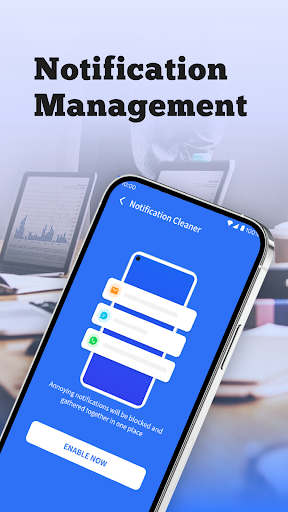
What is Clean Fix Plus
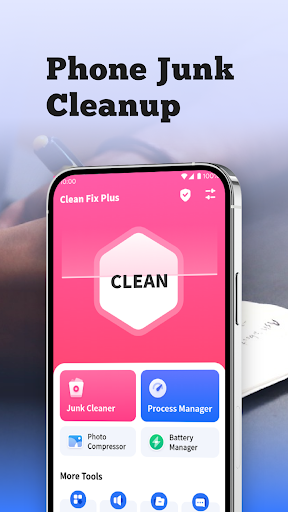
Clean Fix Plus delivers fast device cleanup, storage optimization, and performance boosts designed for US smartphones and tablets. Launch a one-tap scan and reclaim space instantly—download now for a noticeable speed lift.Core Features
One-tap Cleanup Scan junk files, temporary data, and cache in seconds and clear them with a single tap to free storage. Background scheduler automates routine cleanups to keep devices lean and responsive. 📱
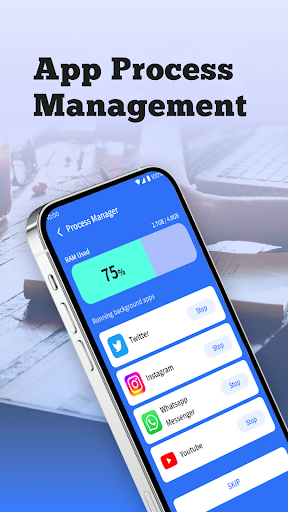
Performance Booster Smart process management reduces app bloat and shortens load times for smoother multitasking and app launches. Includes quick toggles for aggressive or balanced optimization. ⚡
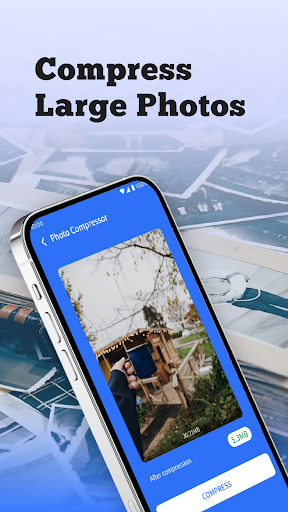
Deep File Analyzer Visual storage maps highlight large files, duplicate photos, and rarely-used apps for targeted removal. Preview and delete items confidently with clear size metrics. 🧹
Privacy Guard Built-in privacy scanner locates trackers and risky permissions and recommends safe actions without exporting personal files off-device. Permission manager helps revoke or limit access quickly. 🔒
Cloud Backup & Restore Optional encrypted cloud backup preserves important photos and documents prior to cleanup, enabling selective restores to avoid re-cluttering. Integration supports popular cloud services with on-demand sync. ☁️
Pros
Fast Results Scans and cleans in under a minute on most modern devices, delivering visible speed gains immediately. Ideal for quick maintenance between heavy-use sessions. ✅
Low Resource Use Lightweight background footprint preserves battery life while maintaining scheduled cleanups. Minimal impact on daily performance during normal use. 🚀
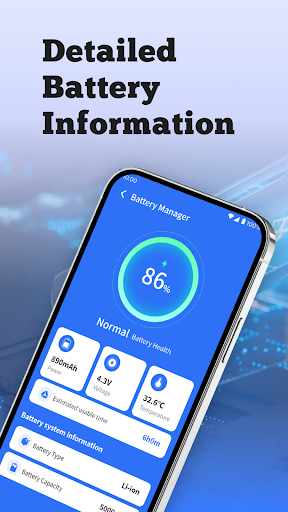
Battery-friendly Modes Power-saving profiles trim background activity and extend battery runtime when needed. Easy toggles for intense, balanced, or light optimization. 🔋
Strong Privacy Controls Local-first processing keeps personal files on-device with optional encrypted cloud features for backups. Permission oversight prevents unnecessary data access. 🔐
Clear UI and Guidance Intuitive interface and contextual tips make cleanup decisions fast and low-risk for non-technical users. Actionable prompts help prioritize what to remove. 🪄
Cons
Ads on Free Tier Free version includes ads that appear between scans and recommendations, which can disrupt quick workflows. Ads can be removed with a subscription. ⚠️
Subscription Model Full-feature access requires a paid plan for cloud backups, advanced automation, and ad removal. Costs may add up compared with one-time alternatives. 💸
Variable Effectiveness Optimization gains vary by device age and manufacturer restrictions; results are smaller on heavily locked-down systems. Expect diminishing returns on very new or already-optimized phones. 📶
Permission Requirements Deep cleaning and privacy scans need access to storage and usage data to function fully, which some privacy-conscious users may find intrusive. Clear permission prompts help but still require trade-offs. 🧾
Occasional False Positives Aggressive duplicate and cache detection can flag app data that some users prefer to keep; manual review is recommended before bulk deletions. ⏳
Prices
Clean Fix Plus offers a free ad-supported tier with basic cleanup tools and scheduled scans. Premium removes ads and unlocks cloud backup and advanced automation for $4.99/month or $29.99/year, with a 7-day free trial available. A one-time lifetime unlock is available around $49.99 for users who prefer a single purchase.