What is My Location - Where Am I
Find exact coordinates fast and share location instantly with My Location - Where Am I. Optimized for US mapping data and built for road trips, outdoor work, and quick emergency checks; download now and take control of location tracking.
Core Features
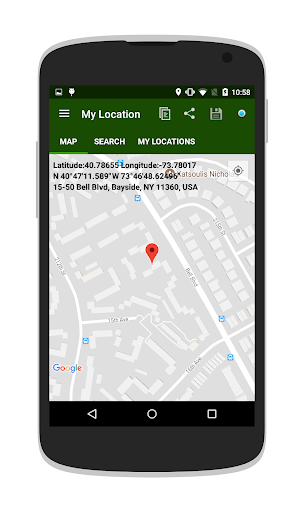
Accurate Coordinates Shows latitude and longitude with meter-level precision outdoors. Supports decimal and DMS formats for copy and paste. 📍
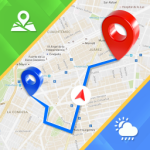
Live Direction and Compass Turn-by-turn heading and built-in compass keep orientation clear during movement. Works with device sensors for instant heading updates. 🧭
Easy Sharing Tools Share location via SMS, email, or messaging apps with a single tap. Generates Google Maps links and raw coordinates for flexibility. 🔁
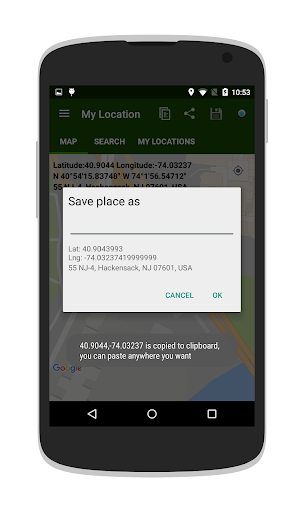
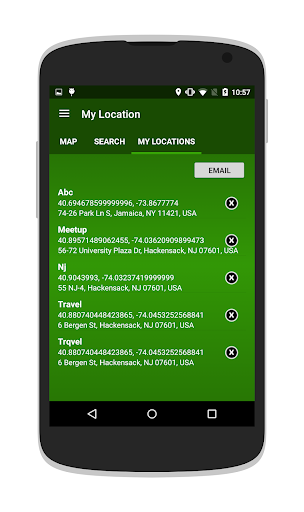
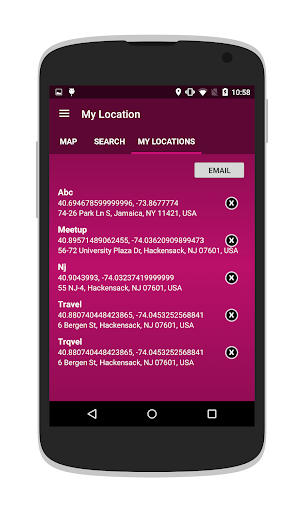
Save and Organize Locations Favorite spots can be saved with custom names and descriptions for quick access. Export and import options keep backups portable. 💾
Privacy Controls Location permissions are requested only when needed and can be limited to while-using or single-use scenarios. Local storage of saved locations reduces cloud exposure. 🔒
Pros
Fast Startup App locks onto GPS quickly for immediate use in the field. Minimal loading time accelerates navigation tasks. ✅
Intuitive Interface Clean layout makes coordinates, address, and accuracy visible at a glance. Tap-based actions simplify sharing and saving. ⚡
Low Data Usage Core functions work without a constant internet connection when offline maps or coordinates are used. Reduces mobile data consumption during travel. 📶
Multiple Coordinate Formats Supports decimal degrees, DMS, and UTM for compatibility with different services and professionals. Converts formats instantly for sharing. 🗺️
No Account Required Basic functionality does not require creating an account, reducing friction and preserving anonymity. Optional sharing still requires explicit permission. 🤝
Cons
Ad-Supported Free Version Ads can interrupt the experience in the free tier and may appear during navigation. Upgrading removes ads but requires payment. 📢
Background Battery Drain Continuous background location tracking can increase battery usage during long sessions. Users should monitor battery settings for prolonged use. 🔋
Indoor Accuracy Limits GPS accuracy drops indoors or in dense urban canyons, causing occasional coordinate drift. Wi-Fi and cellular assistance help but are not foolproof. 📡
Limited Map Providers Default map options may be restricted to common providers and lack specialty layers. Advanced mapping needs may require external apps. 🛠️
Location Permission Scope Live-sharing and background updates require broad permissions, which may concern privacy-minded users. Careful permission management is recommended. 💸
Prices
Free version is ad-supported with core features available immediately and basic sharing enabled. Pro removes ads and unlocks offline maps, custom markers, and priority support as a one-time $2.99 or an optional subscription at $0.99/month; confirm exact pricing in-app before purchase.